Buy order-here.com ?
We are moving the project
order-here.com .
Are you interested in purchasing the domain
order-here.com ?
domain@kv-gmbh.de · 0541-91531010
Buy order-here.com ?
What are headings above chapters?
Headings above chapters are titles or labels that provide a brief overview or summary of the content that will be covered in the upcoming chapter. They serve as a way to introduce the main theme or topic of the chapter and help readers understand what to expect. Headings can also help readers navigate through the book and find specific information more easily. In some cases, headings may also include a catchy or intriguing phrase to capture the reader's attention. **
Are headings not printed in PowerPoint?
Headings are not automatically printed in PowerPoint by default. However, you can choose to include them in your print settings. When you go to print your PowerPoint presentation, you can select the option to include slide titles and other content such as notes and handouts. This allows you to customize what elements are printed from your presentation. **


Similar search terms for Headings
Top-Angebote
Products related to Headings:
-
Lush Living Finds Laser Stroke Acros Tec Delivery Moped For Fast Delivery Needs Laser Stroke Acros Tec Delivery Moped For Fast Delivery NeedsEfficient and Reliable Delivery Moped The Acros Tec Delivery Laser Stroke Moped offers an exceptional solution for businesses and individuals who need fast and efficient transport. Designed for swift delivery, this moped ensures timely deliveries...99,97 $*Shipping: 0,00 $Secure redirect to the provider
-
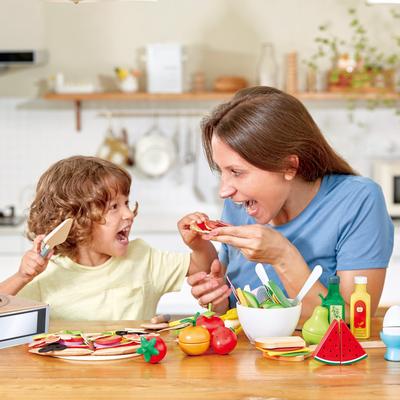
Inspired Finds MiniDiner Role Play Fast Food Kitchen Set Cashier, Burger & Fries Station For Kids food OrderLet your little one step into the shoes of a budding restaurateur with the MiniDiner RolePlay Fast Food Kitchen Set. Designed for aspiring chefs and pretendplay cashiers alike, this allinone set includes a burger station, fries, dessert counter,...60,99 $*Shipping: 0,00 $Secure redirect to the provider
-
The Handy Homestead Leakproof Disposable Sushi Boxes For Bento Takeout Leakproof Disposable Sushi Boxes For Bento TakeoutEnjoy fresh, neatly packed meals wherever the day takes you. These 25pcs disposable sushi boxes make it easy to serve, carry, and share sushi, appetizers, snacks, desserts, or lunch portions without messy cleanup. Designed for home cooks, caterers,...44,97 $*Shipping: 0,00 $Secure redirect to the provider



-
What are the headings of a report?
The headings of a report typically include the title, introduction, methodology, results, discussion, conclusion, and recommendations. These headings help to organize the content of the report in a clear and structured manner, making it easier for readers to follow the flow of information. Each heading serves a specific purpose in presenting the information and analysis in a logical sequence. **
-
How do I create hyperlinks to headings?
To create hyperlinks to headings in a document, you can follow these steps: 1. First, navigate to the heading you want to link to and select it. 2. Right-click on the selected heading and choose "Copy link address" or a similar option depending on your word processing software. 3. Then, go to the text or image where you want to insert the hyperlink, highlight it, and click on the insert/edit link option. 4. Paste the copied link address into the URL field and save the changes. Now, when someone clicks on the hyperlink, it will take them directly to the heading you linked to. **
-
How can I adjust the order of the headings in a pivot table?
To adjust the order of the headings in a pivot table, you can simply drag and drop the headings within the pivot table field list. Click on the heading you want to move, and then drag it to the desired position within the field list. You can also right-click on the heading and select "Move Up" or "Move Down" to adjust its position. Additionally, you can rearrange the headings by changing the order of the fields in the source data before creating the pivot table. **
-
How can I stop collapsing headings in Word?
To stop collapsing headings in Word, you can go to the "View" tab and make sure the "Outline" option is selected. This will display all the headings without collapsing them. Additionally, you can adjust the settings for the headings by right-clicking on the heading number and selecting "Expand/Collapse" and then choosing "Expand all Headings" to prevent them from collapsing. Finally, you can also adjust the heading styles by going to the "Home" tab and modifying the settings for each heading level to ensure they do not collapse. **


How do I create H1 headings in WordPress?
To create H1 headings in WordPress, you can simply use the built-in heading options in the WordPress editor. When you are creating or editing a post or page, highlight the text you want to turn into an H1 heading. Then, click on the "Paragraph" dropdown menu in the editor toolbar and select "Heading 1". This will format the selected text as an H1 heading. Alternatively, you can also switch to the HTML editor and manually add <h1> tags around the text you want to make into an H1 heading. **
What are alternatives to plastic for takeout food or delivery services?
There are several alternatives to plastic for takeout food or delivery services. Some options include using compostable or biodegradable containers made from materials like paper, bamboo, or sugarcane. Reusable containers or packaging made from glass or stainless steel are also eco-friendly choices. Additionally, restaurants can encourage customers to bring their own containers for takeout orders to reduce single-use plastic waste. **
Top-Angebote
Products related to Headings:
-
The Handy Homestead Premium Clear Plastic Food Containers Disposable Takeout & Bakery Packaging Boxes 10pcsServe up freshness and breathtaking presentation with these 10pcs premium clear plastic food containers designed for everyday convenience and professional appeal. Whether youre a home baker, cafe owner, or event host, these sturdy, seethrough...29,97 $*Shipping: 0,00 $Secure redirect to the provider
-
Lush Living Finds Laser Stroke Acros Tec Delivery Moped For Fast Delivery Needs Laser Stroke Acros Tec Delivery Moped For Fast Delivery NeedsEfficient and Reliable Delivery Moped The Acros Tec Delivery Laser Stroke Moped offers an exceptional solution for businesses and individuals who need fast and efficient transport. Designed for swift delivery, this moped ensures timely deliveries...99,97 $*Shipping: 0,00 $Secure redirect to the provider
-
What are headings above chapters?
Headings above chapters are titles or labels that provide a brief overview or summary of the content that will be covered in the upcoming chapter. They serve as a way to introduce the main theme or topic of the chapter and help readers understand what to expect. Headings can also help readers navigate through the book and find specific information more easily. In some cases, headings may also include a catchy or intriguing phrase to capture the reader's attention. **
-
Are headings not printed in PowerPoint?
Headings are not automatically printed in PowerPoint by default. However, you can choose to include them in your print settings. When you go to print your PowerPoint presentation, you can select the option to include slide titles and other content such as notes and handouts. This allows you to customize what elements are printed from your presentation. **
-
What are the headings of a report?
The headings of a report typically include the title, introduction, methodology, results, discussion, conclusion, and recommendations. These headings help to organize the content of the report in a clear and structured manner, making it easier for readers to follow the flow of information. Each heading serves a specific purpose in presenting the information and analysis in a logical sequence. **
-
How do I create hyperlinks to headings?
To create hyperlinks to headings in a document, you can follow these steps: 1. First, navigate to the heading you want to link to and select it. 2. Right-click on the selected heading and choose "Copy link address" or a similar option depending on your word processing software. 3. Then, go to the text or image where you want to insert the hyperlink, highlight it, and click on the insert/edit link option. 4. Paste the copied link address into the URL field and save the changes. Now, when someone clicks on the hyperlink, it will take them directly to the heading you linked to. **
Similar search terms for Headings
-
Inspired Finds MiniDiner Role Play Fast Food Kitchen Set Cashier, Burger & Fries Station For Kids food OrderLet your little one step into the shoes of a budding restaurateur with the MiniDiner RolePlay Fast Food Kitchen Set. Designed for aspiring chefs and pretendplay cashiers alike, this allinone set includes a burger station, fries, dessert counter,...60,99 $*Shipping: 0,00 $Secure redirect to the provider
-
The Handy Homestead Leakproof Disposable Sushi Boxes For Bento Takeout Leakproof Disposable Sushi Boxes For Bento TakeoutEnjoy fresh, neatly packed meals wherever the day takes you. These 25pcs disposable sushi boxes make it easy to serve, carry, and share sushi, appetizers, snacks, desserts, or lunch portions without messy cleanup. Designed for home cooks, caterers,...44,97 $*Shipping: 0,00 $Secure redirect to the provider
-
Uplift Essentials Auto Seat Headrest Hooks For Bags And Groceries Car Organizer Set Auto Seat Headrest Hooks For Bags And Groceries Car Organizer SetKeep your car interior tidy and clutter free with this universal set of car seat headrest hooks. Designed to hang bags, groceries, handbags, umbrellas, jackets, and small accessories, these durable hooks install instantly on any headrest pole. They...32,97 $*Shipping: 0,00 $Secure redirect to the provider
-
United Tesla Model Foldable Seat Back Hook Organizer For Bags, Groceries & Essentials 1pcsTired of bags tipping over and clutter taking over your Tesla's interior The Tesla seat back hook is a smart spacesaving solution designed to keep everyday essentials neatly organized and within easy reach. Crafted specifically for Tesla Model 3 and...39,97 $*Shipping: 0,00 $Secure redirect to the provider
-
How can I adjust the order of the headings in a pivot table?
To adjust the order of the headings in a pivot table, you can simply drag and drop the headings within the pivot table field list. Click on the heading you want to move, and then drag it to the desired position within the field list. You can also right-click on the heading and select "Move Up" or "Move Down" to adjust its position. Additionally, you can rearrange the headings by changing the order of the fields in the source data before creating the pivot table. **
-
How can I stop collapsing headings in Word?
To stop collapsing headings in Word, you can go to the "View" tab and make sure the "Outline" option is selected. This will display all the headings without collapsing them. Additionally, you can adjust the settings for the headings by right-clicking on the heading number and selecting "Expand/Collapse" and then choosing "Expand all Headings" to prevent them from collapsing. Finally, you can also adjust the heading styles by going to the "Home" tab and modifying the settings for each heading level to ensure they do not collapse. **
-
How do I create H1 headings in WordPress?
To create H1 headings in WordPress, you can simply use the built-in heading options in the WordPress editor. When you are creating or editing a post or page, highlight the text you want to turn into an H1 heading. Then, click on the "Paragraph" dropdown menu in the editor toolbar and select "Heading 1". This will format the selected text as an H1 heading. Alternatively, you can also switch to the HTML editor and manually add <h1> tags around the text you want to make into an H1 heading. **
-
What are alternatives to plastic for takeout food or delivery services?
There are several alternatives to plastic for takeout food or delivery services. Some options include using compostable or biodegradable containers made from materials like paper, bamboo, or sugarcane. Reusable containers or packaging made from glass or stainless steel are also eco-friendly choices. Additionally, restaurants can encourage customers to bring their own containers for takeout orders to reduce single-use plastic waste. **
* All prices are inclusive of VAT and, if applicable, plus shipping costs. The offer information is based on the details provided by the respective shop and is updated through automated processes. Real-time updates do not occur, so deviations can occur in individual cases. ** Note: Parts of this content were created by AI.